
Add approved leave to engineer diaries automatically
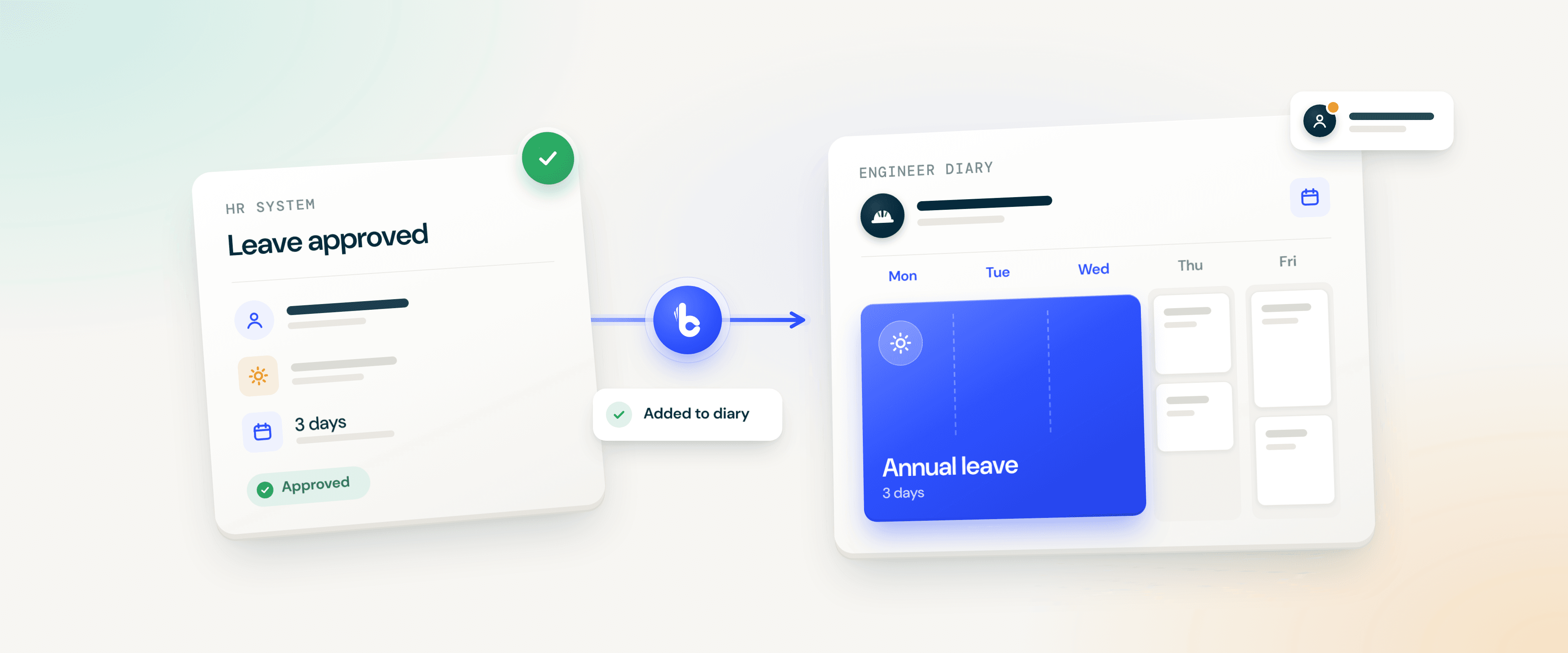
When a manager approves leave in your HR system, Build Concierge adds the absence to the right engineer's diary in your job management system, with the correct dates and absence type. Leave is still requested and approved in your HR system as it is today. Your schedulers see who's away before they plan the week, without anyone copying it across.


The problem: approved, but not in the diary
An engineer's week off is approved on Friday, but nobody copies it into the diary. On Monday, the scheduler books jobs against their name. The clash only surfaces when they don't arrive, and the office spends the morning finding cover and calling customers.
It's hardest over the summer and at Christmas, when several engineers are off in the same week.
How it works
- The approval email arrives. Your HR system sends its usual approval email, and a copy goes to your Build Concierge inbox.
- Details and records are matched. AI reads the approval and picks out the employee's name, start and end dates, absence type and number of days. The name is matched to the right engineer using your engineer matching list, and the absence type to the equivalent type in your job management system.
- The absence goes into the diary. It's added to that engineer's record with the correct dates and number of days, so it shows in their diary when your schedulers plan.
Changes after approval need a manual update. The automation adds approved absences only. If leave is cancelled or its dates change, update the engineer's diary in your job management system by hand.
Illustrative example
A manager approves three days' annual leave for an engineer, Monday to Wednesday next week. The approval email reaches Build Concierge, the engineer is matched from your list, and the three days are added to their diary as annual leave. When the scheduler plans next week, the engineer already shows as away.
What it covers
Annual leave and sickness as standard. Other absence types your HR system uses can be mapped to equivalent types in your job management system.
Engineers on your matching list. Leave is added for engineers on the list, so new starters need adding when they join. Your Customer Solutions team can help keep it up to date.
Single days and half days. The number of days is taken as stated on the approval, including part days such as half a day. Where an approval shows a single date, it's used as both the start and end date.
Days, not hours. Absences recorded only in hours need a different setup, so mention this when you speak to us.
Getting set up
You'll need an HR system that emails an approval showing the employee's name, dates, absence type and number of days, plus API access to your job management system.
- Share a sample approval. Your Customer Solutions team checks the approval email your HR system sends.
- Build your matching list. Share your engineers' names as they appear in your HR system, and the absence types you use in both systems.
- Connect and route. We connect your job management system, storing your API details securely, and approval emails are copied or forwarded to your Build Concierge inbox.
- Test, then go live. We run a test approval, check it appears in the right diary with the right dates, then switch it on.
Worth knowing
It works where your HR system sends an approval email containing the employee's name, dates, absence type and number of days. Your Customer Solutions team will check a sample with you before anything is built.
Existing Build Concierge customers can speak to their Customer Solutions team to get started.
More from the knowledge centre
Get alerts when purchase order lines change on invoiced jobs
When someone updates a purchase order (PO) line, Build Concierge checks whether the job it belongs to has already been invoiced. If it has, the people you choose receive an alert showing what changed, who changed it and links to the job and the PO. Your team can review the change while it's recent, rather than coming across it at month-end.

Turn emailed hire requests into hire contracts automatically
When a customer emails your hire desk, Build Concierge reads the request and any attachments. It then matches the customer, delivery site and equipment, and creates a hire contract in your hire management system. Your hire desk checks and confirms the contract instead of keying it in from scratch. Requests it can't match with confidence come to your team instead.

Automatically record SLA breaches against the right job stage
A service-level agreement (SLA) sets how quickly each stage of a job should happen, such as attending site or completing the work. When your job management system raises an SLA alert because a stage has run past its agreed time, Build Concierge finds that stage and flags it as a breach. The breach sits on the job, where your team can follow it up and report on it, rather than in an inbox.

Automatically score tenders before you decide to bid
When your team completes a tender assessment, Build Concierge totals the scores, applies the threshold you've agreed and saves a Bid or No Bid recommendation to the tender record. Your team still scores the tender and still makes the decision. The automation makes sure every assessment is added up and measured against the same bar.

Flag high risk jobs as they arrive
Put jobs that need a closer look in front of the right person. Build Concierge scores incoming job notifications against your chosen risk factors, then flags jobs that reach your threshold and alerts the owner.

Automate engineer compliance feedback
Give every engineer feedback they can act on, with their manager kept informed. Build Concierge turns completed compliance audits into personalised feedback: what went well, where to improve, anything urgent and a clear action plan. The engineer receives an email, their manager gets the same summary, and every section is saved back to the job.

Get alerts when purchase order lines change on invoiced jobs
When someone updates a purchase order (PO) line, Build Concierge checks whether the job it belongs to has already been invoiced. If it has, the people you choose receive an alert showing what changed, who changed it and links to the job and the PO. Your team can review the change while it's recent, rather than coming across it at month-end.
Turn emailed hire requests into hire contracts automatically
When a customer emails your hire desk, Build Concierge reads the request and any attachments. It then matches the customer, delivery site and equipment, and creates a hire contract in your hire management system. Your hire desk checks and confirms the contract instead of keying it in from scratch. Requests it can't match with confidence come to your team instead.
Automatically record SLA breaches against the right job stage
A service-level agreement (SLA) sets how quickly each stage of a job should happen, such as attending site or completing the work. When your job management system raises an SLA alert because a stage has run past its agreed time, Build Concierge finds that stage and flags it as a breach. The breach sits on the job, where your team can follow it up and report on it, rather than in an inbox.
Automatically score tenders before you decide to bid
When your team completes a tender assessment, Build Concierge totals the scores, applies the threshold you've agreed and saves a Bid or No Bid recommendation to the tender record. Your team still scores the tender and still makes the decision. The automation makes sure every assessment is added up and measured against the same bar.
Flag high risk jobs as they arrive
Put jobs that need a closer look in front of the right person. Build Concierge scores incoming job notifications against your chosen risk factors, then flags jobs that reach your threshold and alerts the owner.
Automate engineer compliance feedback
Give every engineer feedback they can act on, with their manager kept informed. Build Concierge turns completed compliance audits into personalised feedback: what went well, where to improve, anything urgent and a clear action plan. The engineer receives an email, their manager gets the same summary, and every section is saved back to the job.
Get alerts when purchase order lines change on invoiced jobs
When someone updates a purchase order (PO) line, Build Concierge checks whether the job it belongs to has already been invoiced. If it has, the people you choose receive an alert showing what changed, who changed it and links to the job and the PO. Your team can review the change while it's recent, rather than coming across it at month-end.
Turn emailed hire requests into hire contracts automatically
When a customer emails your hire desk, Build Concierge reads the request and any attachments. It then matches the customer, delivery site and equipment, and creates a hire contract in your hire management system. Your hire desk checks and confirms the contract instead of keying it in from scratch. Requests it can't match with confidence come to your team instead.
Automatically record SLA breaches against the right job stage
A service-level agreement (SLA) sets how quickly each stage of a job should happen, such as attending site or completing the work. When your job management system raises an SLA alert because a stage has run past its agreed time, Build Concierge finds that stage and flags it as a breach. The breach sits on the job, where your team can follow it up and report on it, rather than in an inbox.
Automatically score tenders before you decide to bid
When your team completes a tender assessment, Build Concierge totals the scores, applies the threshold you've agreed and saves a Bid or No Bid recommendation to the tender record. Your team still scores the tender and still makes the decision. The automation makes sure every assessment is added up and measured against the same bar.
Flag high risk jobs as they arrive
Put jobs that need a closer look in front of the right person. Build Concierge scores incoming job notifications against your chosen risk factors, then flags jobs that reach your threshold and alerts the owner.
Automate engineer compliance feedback
Give every engineer feedback they can act on, with their manager kept informed. Build Concierge turns completed compliance audits into personalised feedback: what went well, where to improve, anything urgent and a clear action plan. The engineer receives an email, their manager gets the same summary, and every section is saved back to the job.