
Book customer visits automatically with the right engineer


In short
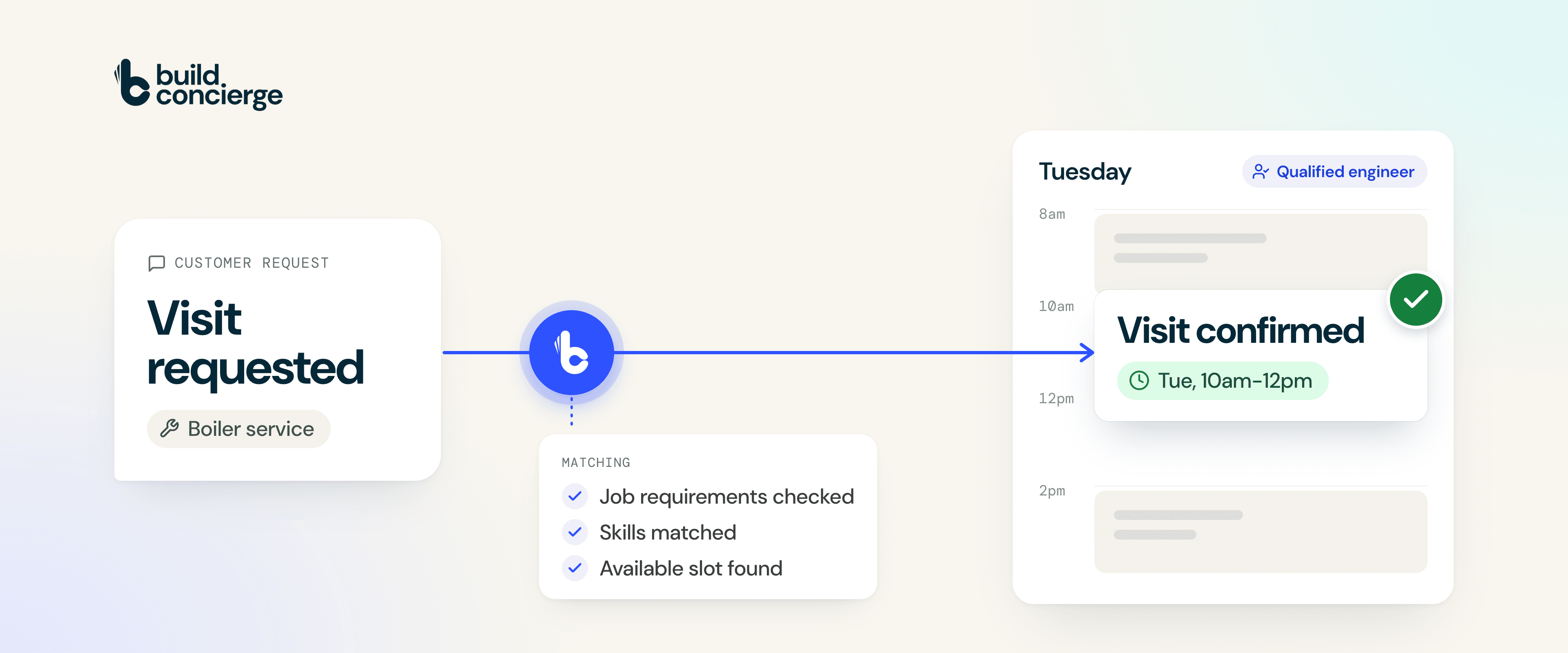
Build Concierge automates visit booking for field service businesses. It reads a customer's request, identifies the job and the skills required, then checks your connected job management system for a suitable engineer and appointment. When the request meets your booking rules, it books the visit and sends the confirmation, including outside office hours.
Your customer gets a date in the diary. Your team gets time back.
Why visit requests get stuck
A customer emails on Friday afternoon:
"Can you service my boiler next week? Tuesday morning would be ideal."
They are ready to book. But someone in your office still needs to read the email, identify the job type, check the qualifications required, find a suitable engineer and reply with a time.
Each step is straightforward. Finding time to do all of them is the problem.
The phones are ringing. An engineer needs help. Another job has overrun. That booking request slips down the inbox, and the customer keeps waiting.
By the time your team replies, they may have arranged the visit elsewhere.
For heating, plumbing, electrical and other field service businesses, this is a familiar bottleneck: demand is there, but turning it into booked work takes more office time than it should.
How automated visit booking works
Build Concierge connects the customer's request to the scheduling information in your job management system. Here is what happens.
- It understands the request. Build Concierge reads the customer's own words and matches the work to one of your job types. "Can you service my boiler?" becomes a boiler service request.
- It checks what the job needs. It identifies the skills, qualifications and any other requirements recorded for that job type.
- It finds suitable availability. It checks your connected system for an engineer with the required skills and an available slot within the customer's preferred window.
- It applies your booking rules. You agree which jobs can be booked automatically, how far ahead to book and which requests should go to a planner.
- It books and confirms the visit. When there is a suitable match, the appointment goes into your diary and the customer receives confirmation.
If no available slot meets the requirements, the request goes to your team for review.
A booking in practice
Imagine that boiler service request arrives at 9pm.
Tuesday morning is available with an engineer whose recorded qualifications match the work. Boiler services are approved for automatic booking, and the request meets your agreed rules.
Build Concierge books the visit and sends a confirmation such as:
"Your boiler service is confirmed for Tuesday morning."
The customer can plan their day. When your office opens, that visit is already in the diary.
Illustrative example. Actual bookings depend on your connected system, current records, availability and agreed rules.
What changes for your business
Give customers an easier route to booking.
A prompt confirmation helps them move ahead while they are ready to arrange the work. They have less reason to chase for an answer or keep looking for another provider.
Give planners time for the jobs that need them.
Routine enquiries can move through the booking process automatically, freeing your team to manage urgent changes, complex work and visits that need judgement.
Match the work to the right recorded skills.
Engineer selection follows the requirements in your system, helping your team apply the same checks consistently.
Keep bookings moving after hours.
Eligible requests can be booked in the evening or at the weekend, so routine scheduling does not have to wait for the office to reopen.
As enquiries grow, these repeated tasks can take up more of the working day. Automating suitable bookings gives your office team more capacity to support customers and organise the work.
What you need to get started
Reliable booking starts with the information your planners already use:
- A connected job management system that supports the workflow.
- Current engineer records, including the skills and qualifications needed for your work.
- Defined job types, with their requirements recorded.
- An up-to-date diary, so the availability the automation sees reflects your operation.
Build Concierge uses those records to make the match. Reviewing them is part of setup, and we help you identify what needs attention before bookings go live.
Start with one routine job type
You can begin with a service you book regularly and expand from there.
- Review the process together. We look at a typical enquiry, your job types, engineer records and scheduling information.
- Agree the boundaries. We define what can be booked automatically, what makes a suitable slot and when your team should take over.
- Test real enquiries. You see how the workflow selects appointments before it starts making live bookings.
This gives you a practical way to see the automation working around your business.
Common Questions
It is the process of matching a job to an engineer and an available appointment using defined requirements and booking rules. In this workflow, Build Concierge also reads the customer’s request and sends the booking confirmation.
Yes. You decide which job types are suitable and which requests should reach a planner. You can start with straightforward, repeatable work.
The visit is not booked automatically. The request is left for your team to review, so they can decide the next step.
It uses the skills and qualifications recorded against your engineers in your job management system. Keep these records current: the booking decision relies on the information held there.
The workflow needs a connection that can check suitable availability and create bookings. We review your system and the information it holds during setup to establish how the automation can work for your business.
Yes. Once the workflow is configured and running, eligible requests can be booked and confirmed outside office hours when a suitable slot is available.
See your own visit requests become bookings
Get in touch with the Build Concierge team and we’ll set it up around the way you work.
More from the knowledge centre
Your next customer is on your prospect list. What happens next?
Find the right prospects with Handshaik, then keep the conversation moving with Build Concierge. Together, they help you cut admin, follow up faster and turn more opportunities into customers.

Sensitive site issues, sent straight to the right people
Choose the sites and words that need special attention. When a completed job report or incoming email matches them, Build Concierge alerts the right managers with the details and a link to the job.

When your team can't answer, your Receptionist can
Calls answered, even when your whole team is already on the phone. When every line is busy, or a call rings without an answer, your Concierge Receptionist picks it up, follows the call handling process you choose and sends your team a clear summary. Urgent calls are flagged, so the most important call backs happen first.

Unfinished jobs, flagged before tomorrow
At the end of each working day, Build Concierge sends your team one clear list of scheduled jobs not yet marked complete, so open work is easier to catch before tomorrow.

Your next customer is on your prospect list. What happens next?
Find the right prospects with Handshaik, then keep the conversation moving with Build Concierge. Together, they help you cut admin, follow up faster and turn more opportunities into customers.
Sensitive site issues, sent straight to the right people
Choose the sites and words that need special attention. When a completed job report or incoming email matches them, Build Concierge alerts the right managers with the details and a link to the job.
When your team can't answer, your Receptionist can
Calls answered, even when your whole team is already on the phone. When every line is busy, or a call rings without an answer, your Concierge Receptionist picks it up, follows the call handling process you choose and sends your team a clear summary. Urgent calls are flagged, so the most important call backs happen first.
Unfinished jobs, flagged before tomorrow
At the end of each working day, Build Concierge sends your team one clear list of scheduled jobs not yet marked complete, so open work is easier to catch before tomorrow.
Your next customer is on your prospect list. What happens next?
Find the right prospects with Handshaik, then keep the conversation moving with Build Concierge. Together, they help you cut admin, follow up faster and turn more opportunities into customers.
Sensitive site issues, sent straight to the right people
Choose the sites and words that need special attention. When a completed job report or incoming email matches them, Build Concierge alerts the right managers with the details and a link to the job.
When your team can't answer, your Receptionist can
Calls answered, even when your whole team is already on the phone. When every line is busy, or a call rings without an answer, your Concierge Receptionist picks it up, follows the call handling process you choose and sends your team a clear summary. Urgent calls are flagged, so the most important call backs happen first.
Unfinished jobs, flagged before tomorrow
At the end of each working day, Build Concierge sends your team one clear list of scheduled jobs not yet marked complete, so open work is easier to catch before tomorrow.