
Turn new service contracts into a full schedule of visits


In Short
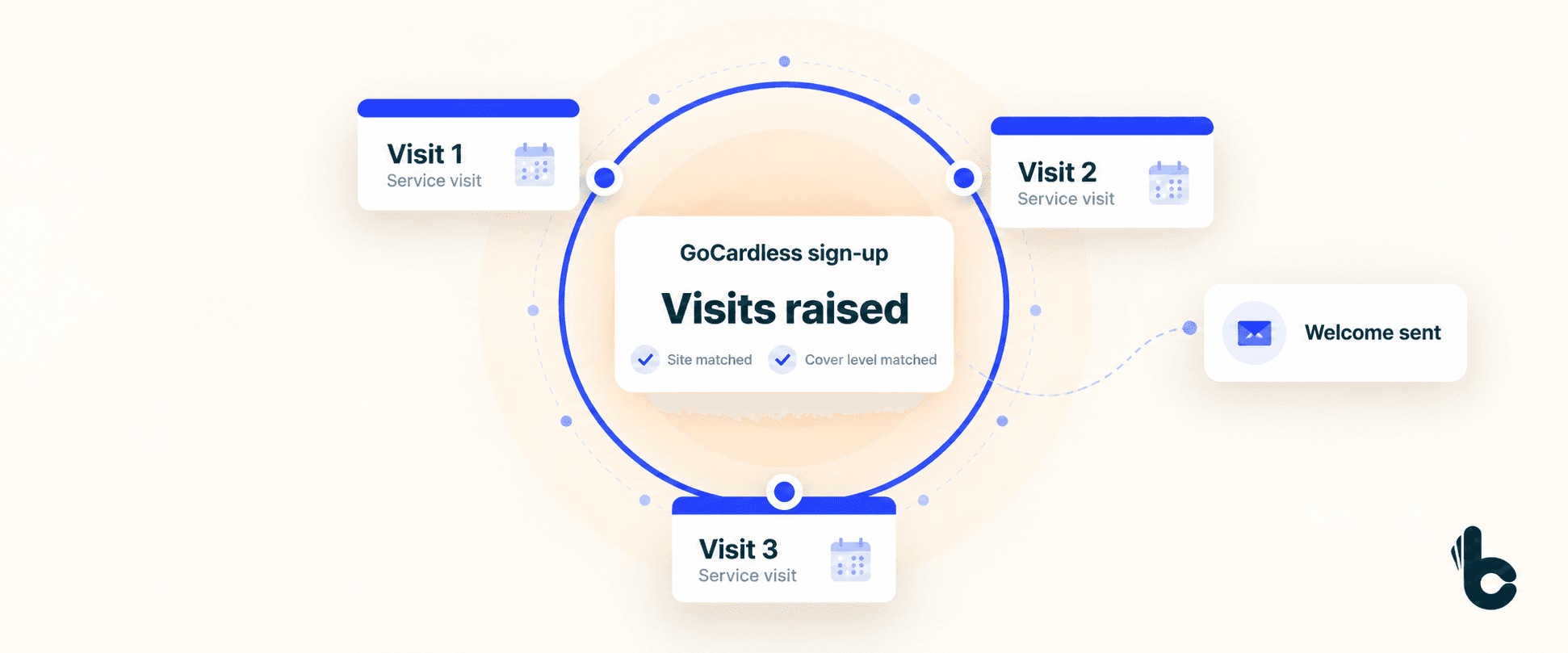
When a customer signs a Direct Debit mandate or makes a payment through GoCardless, Build Concierge can turn that event into a schedule of recurring service visits. It matches the customer and site in your connected job management system, creates visits for the cover level they bought and sends a welcome email.
Why new contracts wait for setup
The customer has signed up. Now your team needs to make sure the service they bought actually happens.
That means finding the right customer and site, checking the cover level and creating every visit for the agreed term. An annual service needs one schedule. A plan with more frequent visits needs another.
It is straightforward work, but it competes with today’s callouts, tomorrow’s diary and the phone that keeps ringing.
Meanwhile, the customer is waiting to hear what happens next. If the visits have not been created, your planners have nothing to work from.
Build Concierge connects the sign-up to the work your business has promised to deliver. Each new contract can move into service setup without waiting for someone to build its visit schedule by hand.
How service contract automation works
- The agreed GoCardless event starts the workflow. This can be the Direct Debit mandate sign-up or payment event configured for your process.
- The customer and site are matched. Build Concierge finds the relevant records in your job management system.
- The cover level determines the visits. Your contract tiers are mapped to the frequency and service visits they include.
- The recurring visits are created. The schedule is raised against the right site for the agreed term.
- The customer receives a welcome email. It confirms what their service contract includes.
What this looks like in practice
Suppose a customer signs up for a plan that includes quarterly visits over a year. Once the configured event arrives, Build Concierge matches the site and creates the four visits that plan requires.
The customer receives their welcome email, and your team has the visit records ready for planning.
The example is illustrative. The number and timing of visits follow your own contract definitions.
What changes for your business
- New contracts become visible work.
Your team can see the visits the business has committed to deliver, with less manual setup between the sale and service planning.
- Each customer gets the schedule their plan includes.
Mapping visits to the cover level helps your team apply the same service promise consistently.
- The relationship starts with a clear welcome.
The customer receives confirmation of what they have bought and what their contract includes.
- Contract growth creates less repetitive admin.
Each additional sign-up can follow the agreed process, giving your office more time to support customers and manage the service itself.
What you need to get started
You need:
- GoCardless configured for the contracts you sell.
- A connected job management system that supports the workflow.
- Clear cover levels, visit frequencies and contract terms.
- Customer and site information that can be matched reliably.
- Agreed welcome email content.
Your cover levels are the starting point. We translate what each plan includes into the visits your system needs to create.
Set up your first contract workflow
Choose one contract tier to begin with.
- Map the plan. We agree which visits it includes, how often they occur and how far ahead they should be raised.
- Connect the sign-up to the right records. We establish the GoCardless trigger, the customer and site matching, and the welcome message.
- Test the complete process. You check a sample sign-up, its visit schedule and the email before the workflow runs live.
We also agree how your existing cancellation and amendment processes will handle visits that have already been created.
Common Questions
Yes. The workflow described here starts from a GoCardless event. If you use another payment platform, ask us to review the integration and triggers available.
Yes. Each level is mapped to its own schedule, so the visits reflect the plan the customer bought.
This workflow creates the recurring visit records. Engineer allocation and customer appointment confirmation should be agreed separately as part of your scheduling process.
Yes. The setup can reflect a domestic service plan or a commercial maintenance agreement, using the relevant customer, site and cover level.
Yes. Once created, the visits are ordinary records in your job management system and can be amended through your usual process.
Cancellation follows your agreed process. During setup, define what should happen to future visits already raised.
See one of your contracts set itself up
Get in touch with the Build Concierge team and we’ll set it up around the way you work.
More from the knowledge centre


Your next customer is on your prospect list. What happens next?
Find the right prospects with Handshaik, then keep the conversation moving with Build Concierge. Together, they help you cut admin, follow up faster and turn more opportunities into customers.

Sensitive site issues, sent straight to the right people
Choose the sites and words that need special attention. When a completed job report or incoming email matches them, Build Concierge alerts the right managers with the details and a link to the job.

When your team can't answer, your Receptionist can
Calls answered, even when your whole team is already on the phone. When every line is busy, or a call rings without an answer, your Concierge Receptionist picks it up, follows the call handling process you choose and sends your team a clear summary. Urgent calls are flagged, so the most important call backs happen first.

Your next customer is on your prospect list. What happens next?
Find the right prospects with Handshaik, then keep the conversation moving with Build Concierge. Together, they help you cut admin, follow up faster and turn more opportunities into customers.
Sensitive site issues, sent straight to the right people
Choose the sites and words that need special attention. When a completed job report or incoming email matches them, Build Concierge alerts the right managers with the details and a link to the job.
When your team can't answer, your Receptionist can
Calls answered, even when your whole team is already on the phone. When every line is busy, or a call rings without an answer, your Concierge Receptionist picks it up, follows the call handling process you choose and sends your team a clear summary. Urgent calls are flagged, so the most important call backs happen first.
Your next customer is on your prospect list. What happens next?
Find the right prospects with Handshaik, then keep the conversation moving with Build Concierge. Together, they help you cut admin, follow up faster and turn more opportunities into customers.
Sensitive site issues, sent straight to the right people
Choose the sites and words that need special attention. When a completed job report or incoming email matches them, Build Concierge alerts the right managers with the details and a link to the job.
When your team can't answer, your Receptionist can
Calls answered, even when your whole team is already on the phone. When every line is busy, or a call rings without an answer, your Concierge Receptionist picks it up, follows the call handling process you choose and sends your team a clear summary. Urgent calls are flagged, so the most important call backs happen first.