
Your next customer is on your prospect list. What happens next?
Find the right prospects with Handshaik, then keep the conversation moving with Build Concierge. Together, they help you cut admin, follow up faster and turn more opportunities into customers.


In short
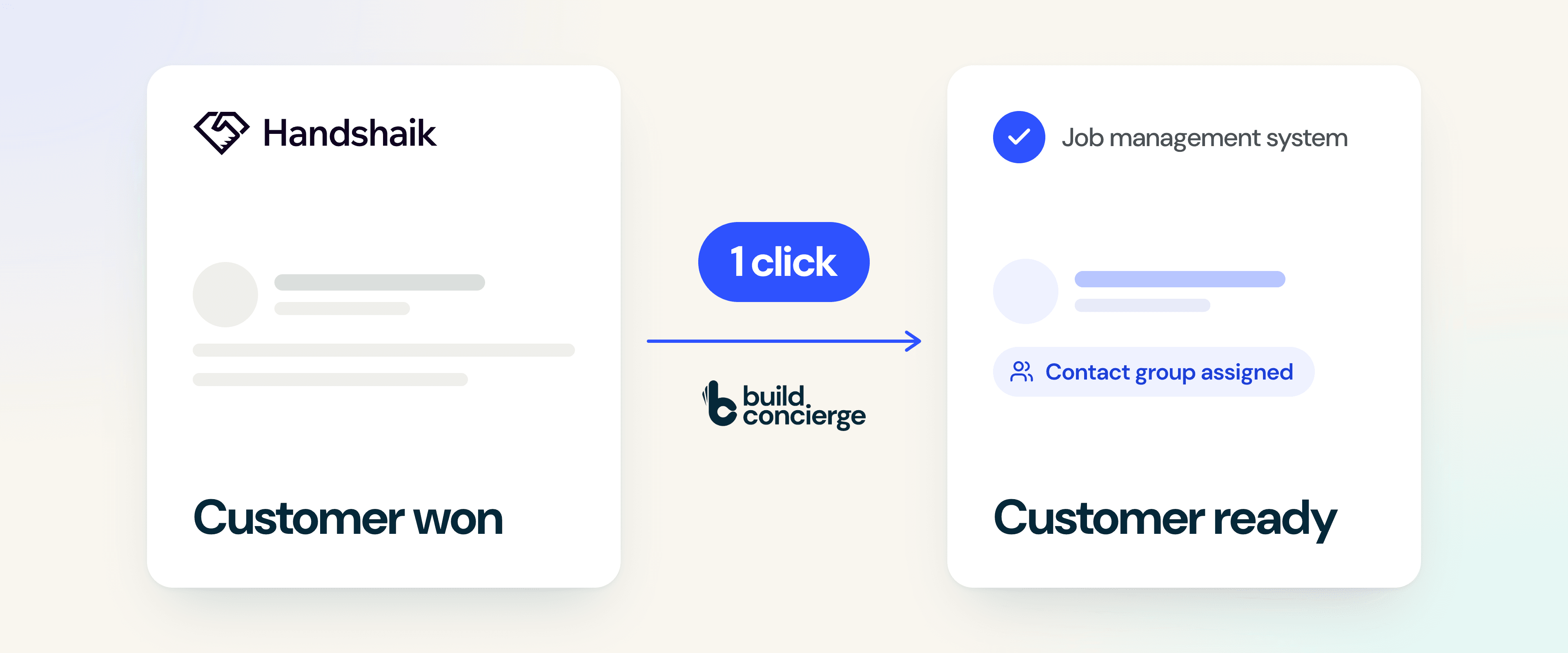
Build Concierge’s integration with Handshaik automates new customer setup in your job management system.
Use Handshaik to find businesses that match your ideal customer and gather their contact details. Once you win the work, it takes just one click in Handshaik for Build Concierge to create the customer record in your connected job management system and assign it to the correct contact group.
Your team gets a customer record ready to use, without copying and pasting details between systems.
Why automate customer setup?
A prospect says yes. Your team is ready to get moving. First, someone needs to set up the customer.
That can mean chasing contact details, copying them between systems and checking which customer group to use. It is a small task that repeats with every win, and can hold up the first quote, booking or job.
You have already gathered those details during the sales process. Build Concierge puts them to work in your job management system, so the handover takes less effort.
What Handshaik does
Handshaik is an AI-powered prospecting platform built around three steps: find, nurture, win. You describe the kind of business you want to win, and it searches live company data to surface targets that match, builds them into a list, and enriches the contacts so your team knows who they are calling before they pick up the phone. It also gives you access to credit reports, so you can see a prospect's financial health before you commit to working with them.
For a service business trying to grow, this addresses the part of outbound that quietly costs the most. Building a target list by hand means working through directories, company records and LinkedIn, checking whether each business is the right size, in the right region and in the right sector. It is slow, it is nobody's favourite job, and it is the first thing to get squeezed out by the week's actual work. Buying a generic list solves the speed problem and creates a worse one, because most of the businesses on it were never going to buy from you.
Where the efficiency comes from
- Finding the right businesses. Handshaik's own figures put target list building at under a minute, and analysing and qualifying that list at around five minutes, against the better part of a working day for each if you do it by hand.
- Qualifying before you call. Targets can be qualified or disqualified and compared against each other, with financial and ownership data behind them. For commercial service work that matters, because you can see the size of a business and the group it sits in before anyone spends an hour on it.
- Checking they can pay. Pull a credit report before you take a customer on, covering their credit score, payment history and the risks worth knowing about. It is the difference between winning work and winning work you actually get paid for.
- Calling with context. Contacts are enriched on demand, so your team opens with an understanding of the business rather than a company name on a spreadsheet. A caller with context qualifies faster and wastes less of everyone's time.
- Keeping the pipeline in one place. Company records are created automatically and the pipeline sits in a single workspace, rather than being rebuilt by hand across notes, spreadsheets and a CRM.
The result is a shorter, sharper list that is actually worth working. For a sales team with limited hours, the gain is not only the time saved building the list. It is that the calls they make are aimed at businesses that resemble the customers they already serve well.
Handshaik holds ISO 27001 certification, which is worth knowing if your own clients ask where your prospect data comes from.
And when one of those calls lands, Build Concierge takes care of everything that happens next.
How the Handshaik integration works
- Find the right prospects in Handshaik. Use its AI-powered search to find businesses that match the type of customer you want to work with.
- Build your list and gather contact details. Add the information your team needs to reach out and have a useful conversation.
- Win the customer. Your team follows its usual sales process.
- Check their creditworthiness. Before you commit, review their credit report to assess their financial health and decide what payment terms to offer.
- Send the customer to Build Concierge in one click. Once they are ready to be set up, send their details across from within Handshaik.
- Build Concierge creates the customer record. The agreed details are added to your connected job management system, and the customer is assigned to the contact group defined during setup.
You decide when to send the customer across. Build Concierge handles the data entry that follows.
What your team gains
- Less admin after every win.
Create customer records without copying the same information into another system.
- A quicker handover to operations.
Reduce the gap between winning the customer and having their record ready for the first job.
- Useful details carried forward.
Transfer the agreed contact information gathered during prospecting, so your team has less to chase.
- Consistent customer grouping.
Put new customers in the agreed contact group from the start.
- More time for customers.
Give sales and office teams one less repetitive task to manage.
This is especially useful if your team regularly wins new business through outbound sales and someone still creates each customer record by hand.
What you need to get started
You will need:
- A Handshaik account for finding prospects and gathering their details.
- Build Concierge connected to your job management system. Your Build Concierge contact can confirm what is needed for your system.
- Agreed contact groups so the automation knows where new customers belong.
You do not need a finished setup plan before getting in touch. Bring the name of your job management system and an example of how you currently set up a new customer. We will work through the details with you.
How we set it up for you
Your Build Concierge contact will help configure the automation around your sales process.
- Agree when a customer is ready to be created. We establish the point in your process when your team should send a record from Handshaik.
- Choose the details and contact groups. We agree which information should transfer, where it belongs and how existing customer records should be handled.
- Test the handover together. We run an example through the process and check that the customer appears with the expected details and group.
To get the conversation started, tell us:
- Which job management system you use.
- Who currently creates new customer records.
- Which contact groups new customers should go into.
We will help you work out the rest.
Common Questions
No. You prospect and sell exactly as you do now. The integration only takes over at the point someone says yes, which is where the admin starts.
The enriched contact details you have gathered in Handshaik, which is typically a good deal more than the name and number a sales person would otherwise hand over.
In your job management system, in a contact group you have defined in advance, so your team knows exactly where to look and what terms apply.
No. This is about getting a won customer into the system that runs your jobs, so work can start without waiting on manual entry.
Most integrations of this kind are live within days rather than weeks, once your contact groups are agreed.
Yes. Handshaik gives you access to credit reports covering credit score, payment history and potential risks, so you can decide who to work with and what terms to offer before you commit.
No. It gives your team the information earlier, at the point you are deciding whether to take someone on rather than after the first invoice goes unpaid. If you want the hold itself automated, Build Concierge can place a new account on stop until credit is approved.
Get this automation set up
Get in touch with the Build Concierge team and we’ll set it up around the way you work.
More from the knowledge centre

Sensitive site issues, sent straight to the right people
Choose the sites and words that need special attention. When a completed job report or incoming email matches them, Build Concierge alerts the right managers with the details and a link to the job.

When your team can't answer, your Receptionist can
Calls answered, even when your whole team is already on the phone. When every line is busy, or a call rings without an answer, your Concierge Receptionist picks it up, follows the call handling process you choose and sends your team a clear summary. Urgent calls are flagged, so the most important call backs happen first.

Unfinished jobs, flagged before tomorrow
At the end of each working day, Build Concierge sends your team one clear list of scheduled jobs not yet marked complete, so open work is easier to catch before tomorrow.

Missing job card answers, sent back to the engineer
When a job is completed, Build Concierge sends the engineer who attended a follow-up task to fill in any blank job card questions, so your office spends less time chasing.

Engineer notes, turned into a clear job summary
What was done, what was fitted and what is still outstanding, clear in seconds. When a job is completed, Build Concierge reads the engineer's notes and worksheet answers, adds a short, plain-English summary to the job and compares the materials fitted with the job's financial lines, so missing charges are spotted before the invoice goes out.

Sensitive site issues, sent straight to the right people
Choose the sites and words that need special attention. When a completed job report or incoming email matches them, Build Concierge alerts the right managers with the details and a link to the job.
When your team can't answer, your Receptionist can
Calls answered, even when your whole team is already on the phone. When every line is busy, or a call rings without an answer, your Concierge Receptionist picks it up, follows the call handling process you choose and sends your team a clear summary. Urgent calls are flagged, so the most important call backs happen first.
Unfinished jobs, flagged before tomorrow
At the end of each working day, Build Concierge sends your team one clear list of scheduled jobs not yet marked complete, so open work is easier to catch before tomorrow.
Missing job card answers, sent back to the engineer
When a job is completed, Build Concierge sends the engineer who attended a follow-up task to fill in any blank job card questions, so your office spends less time chasing.
Engineer notes, turned into a clear job summary
What was done, what was fitted and what is still outstanding, clear in seconds. When a job is completed, Build Concierge reads the engineer's notes and worksheet answers, adds a short, plain-English summary to the job and compares the materials fitted with the job's financial lines, so missing charges are spotted before the invoice goes out.
Sensitive site issues, sent straight to the right people
Choose the sites and words that need special attention. When a completed job report or incoming email matches them, Build Concierge alerts the right managers with the details and a link to the job.
When your team can't answer, your Receptionist can
Calls answered, even when your whole team is already on the phone. When every line is busy, or a call rings without an answer, your Concierge Receptionist picks it up, follows the call handling process you choose and sends your team a clear summary. Urgent calls are flagged, so the most important call backs happen first.
Unfinished jobs, flagged before tomorrow
At the end of each working day, Build Concierge sends your team one clear list of scheduled jobs not yet marked complete, so open work is easier to catch before tomorrow.
Missing job card answers, sent back to the engineer
When a job is completed, Build Concierge sends the engineer who attended a follow-up task to fill in any blank job card questions, so your office spends less time chasing.
Engineer notes, turned into a clear job summary
What was done, what was fitted and what is still outstanding, clear in seconds. When a job is completed, Build Concierge reads the engineer's notes and worksheet answers, adds a short, plain-English summary to the job and compares the materials fitted with the job's financial lines, so missing charges are spotted before the invoice goes out.